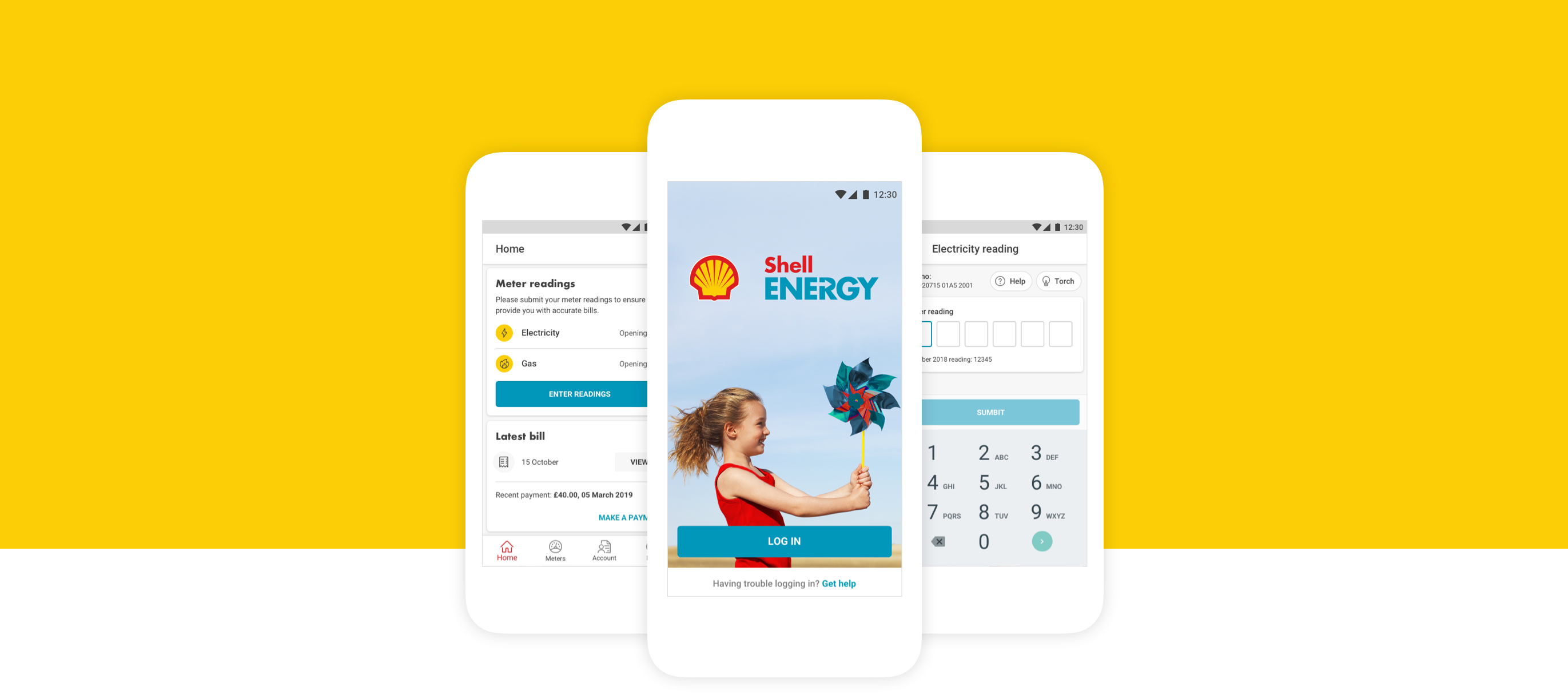
The challenge
To work with 1 other product designer to design the app experience for Shell Energy Customers, leading up the Android design.
Process
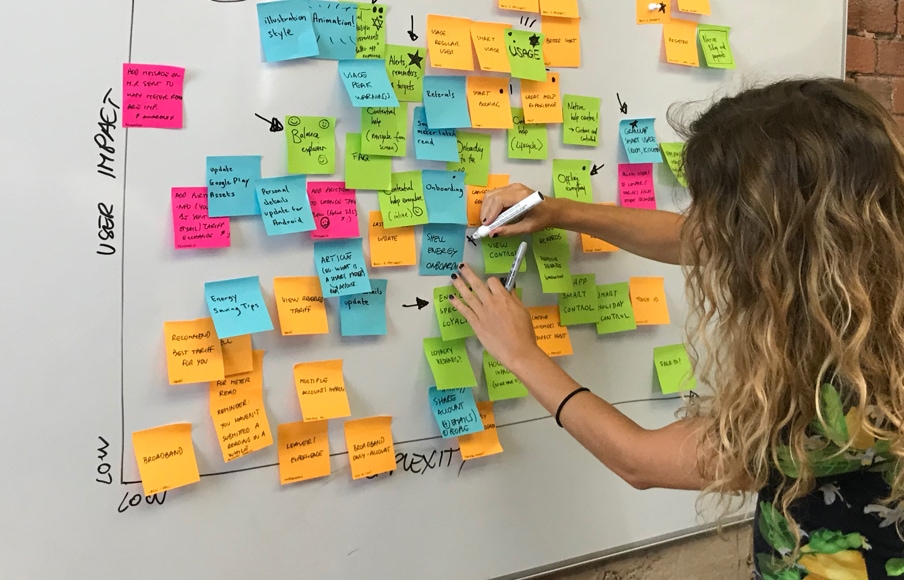
TAB is a very process driven agency with daily stand ups, sprint sessions and weekly retrospectives. Workshops are conducted frequently to help conceptualise ideas, develop existing features and keep stakeholders in the loop.
Testing
At the heart of everything we did at TAB was user testing. We used it to verify our concepts, to challenge our designs and to test features during and after development.
TAB has amazing in-house facilities so a lot of the users would come to us which made our lives very easy but we also conducted remote tests to reach a wider audience. Testing is often bypassed as it’s seen as an expensive and lengthy process but it was so valuable helping us to hone and tweak the app and avoid some big pitfalls.
Mockups
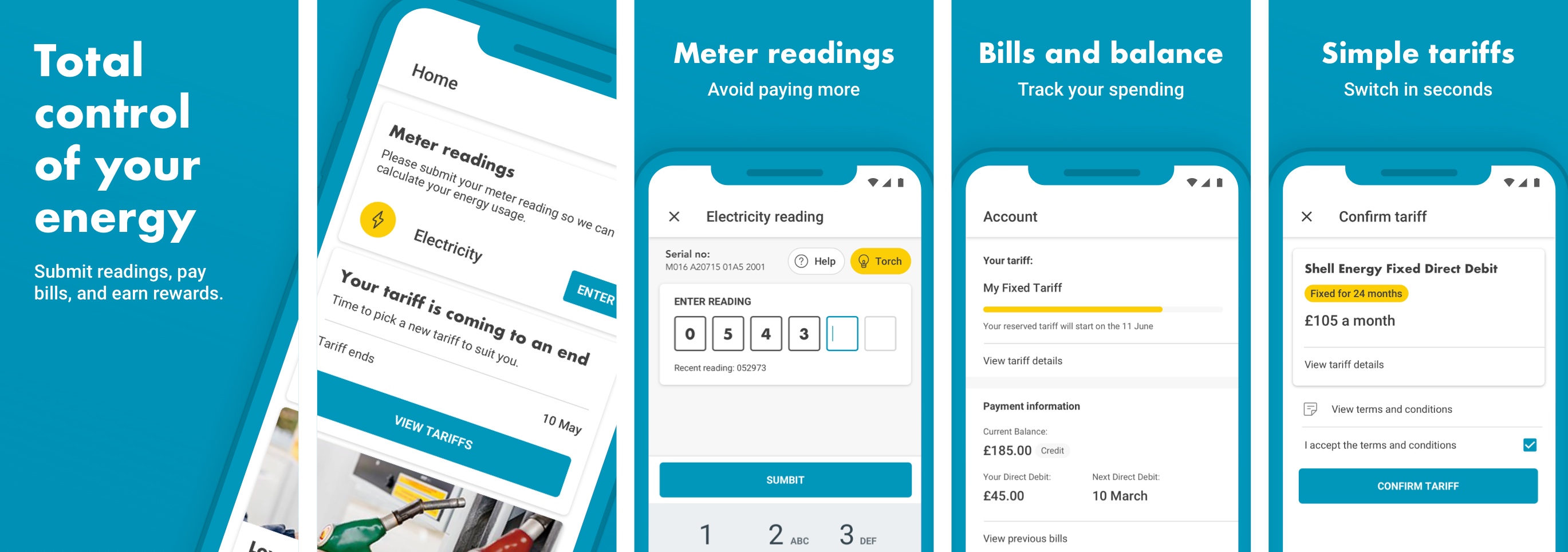
I was fortunate to work on a number of really interesting features during my time with TAB with a very focussed team. There was a lot we could do technically but we were fairly limited by what we could do with the UI as there were some strict brand guidelines in place. We had to find ways to inject some character into the screens using iconography and some subtle visual flourishes.
Meter Readings
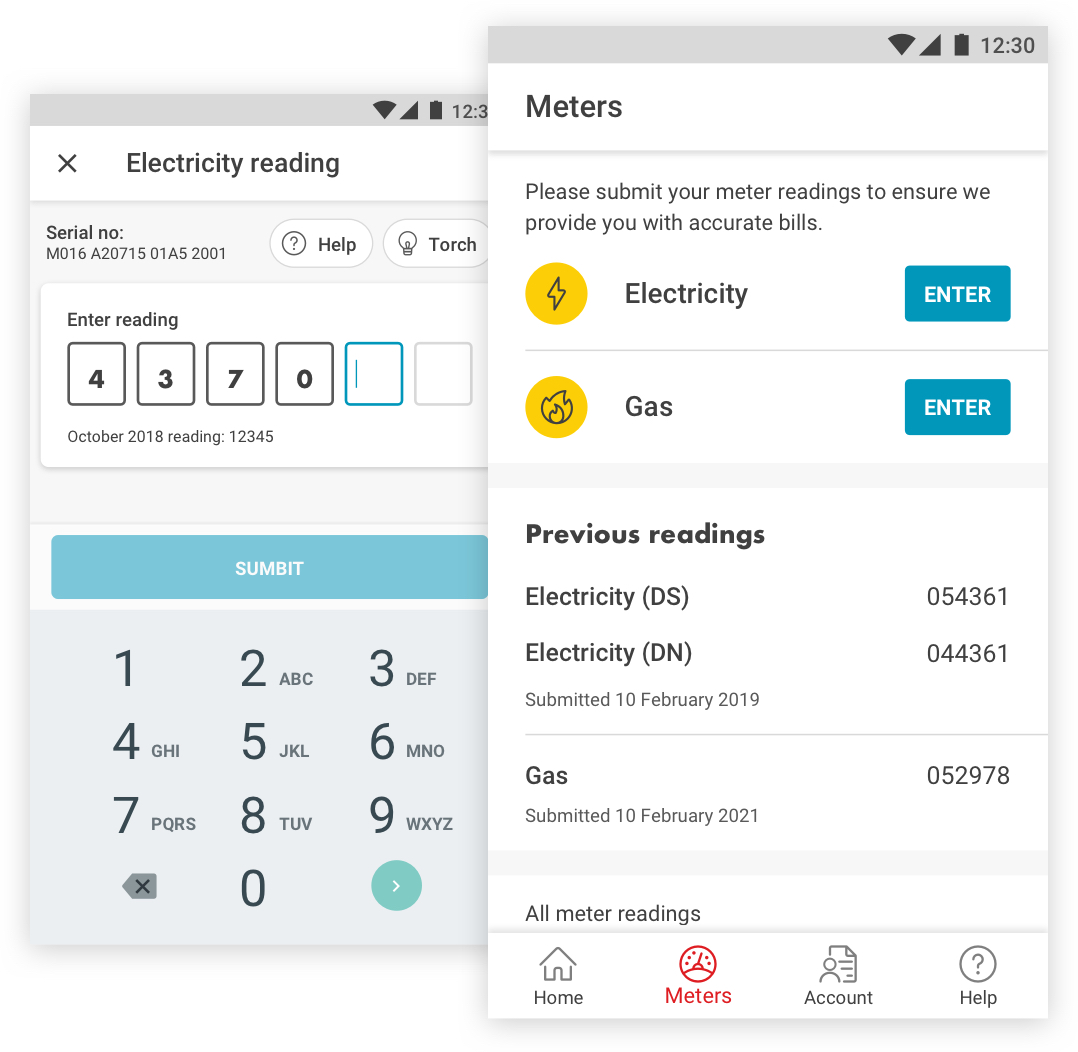
One of the core features of the app is the ability for users to record their gas and electric readings. We needed to make sure the interaction was as frictionless as possible to help users avoid making common mistakes. This meant really honing the keyboard interaction and behaviour to allow users to easily rectify a mistake without having to delete and re-enter their readings.
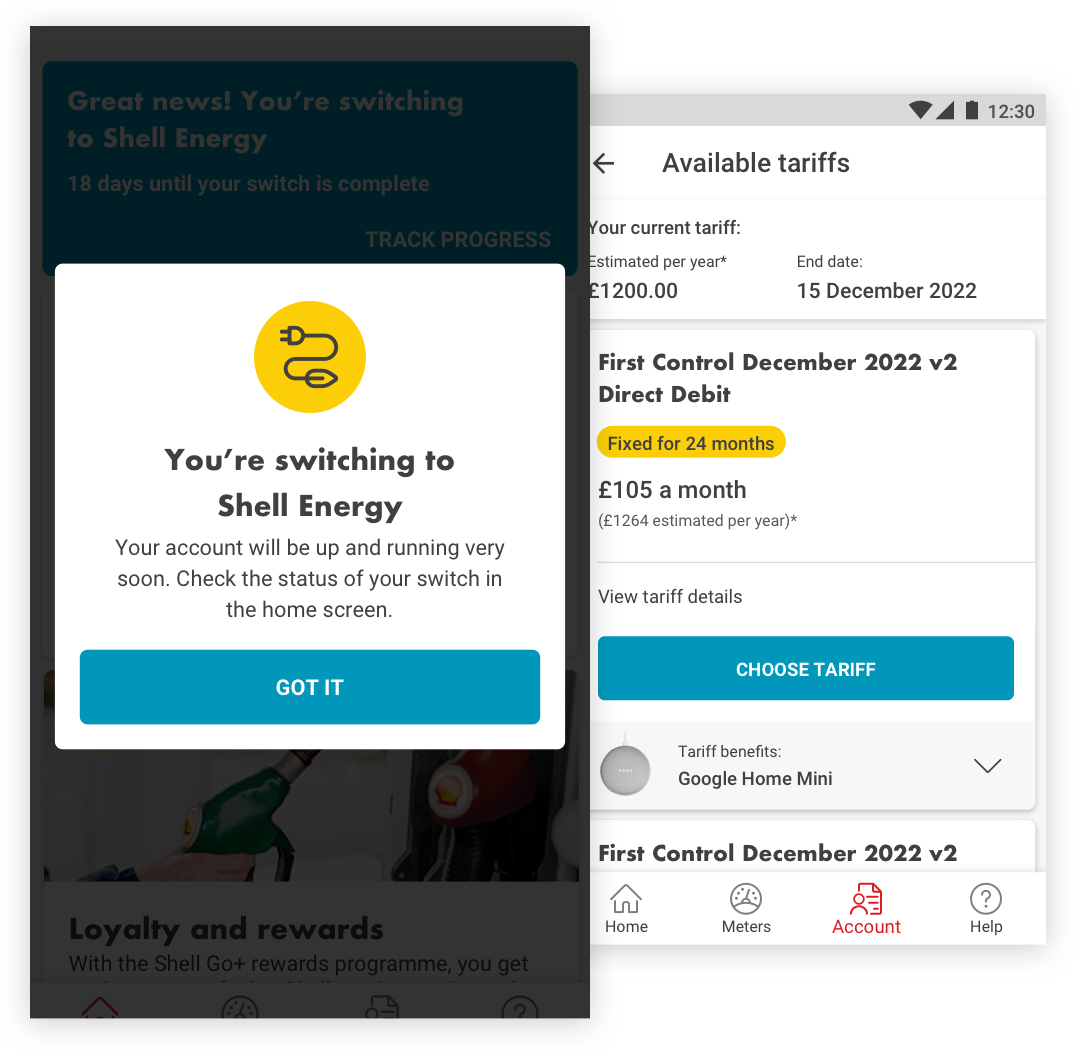
Tariffs
Perhaps the lengthiest part of this project was designing how users switch or take out a new tariff. With so many factors to consider such as start dates, meter types, smart usage and add ons it meant there were countless outcomes. This required stress testing our designs vigorously to make sure they didn’t break.
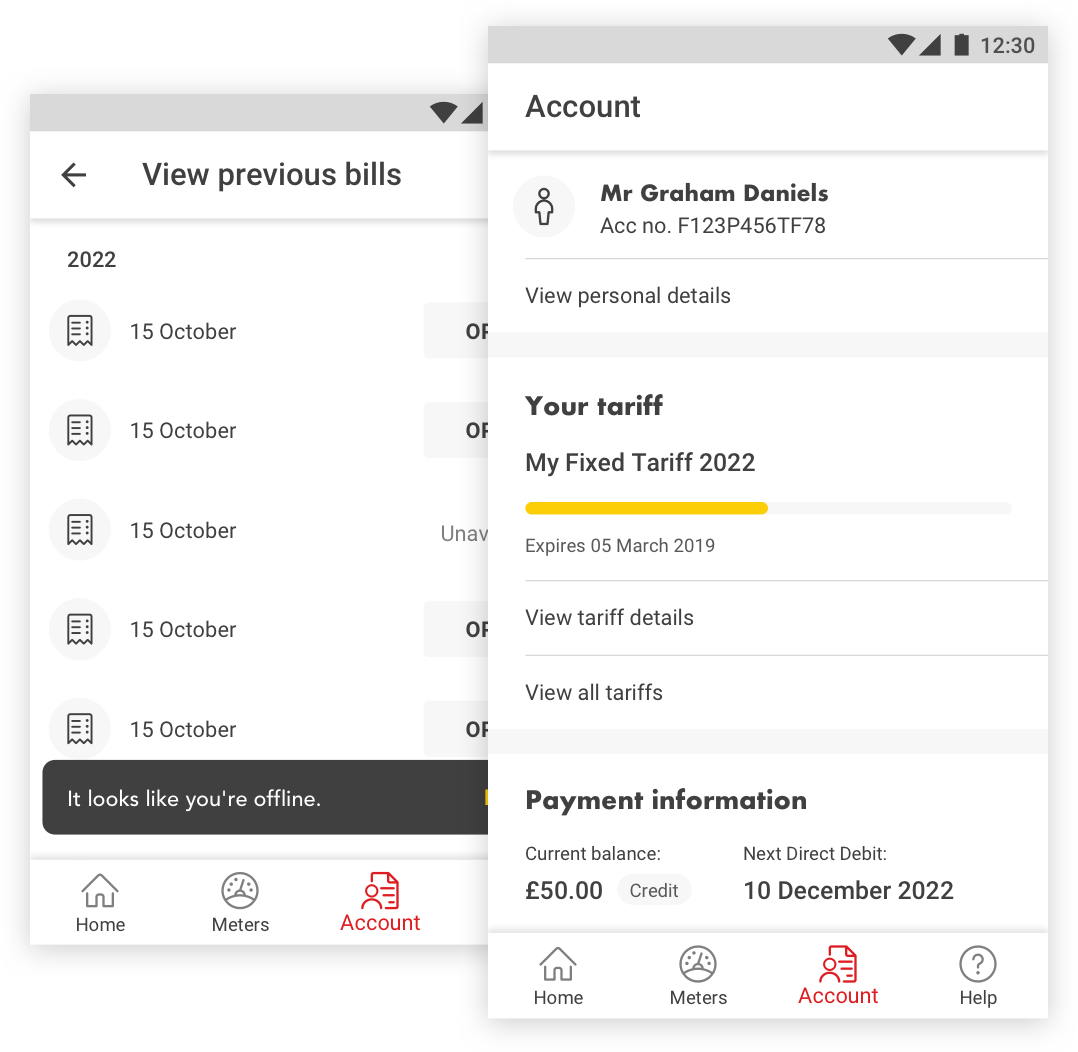
Accounts
We needed to make the account section as simple and intuitive as possible to allow users to easily carry out a number of tasks including accessing their statements, changing their preferences or updating their account details.
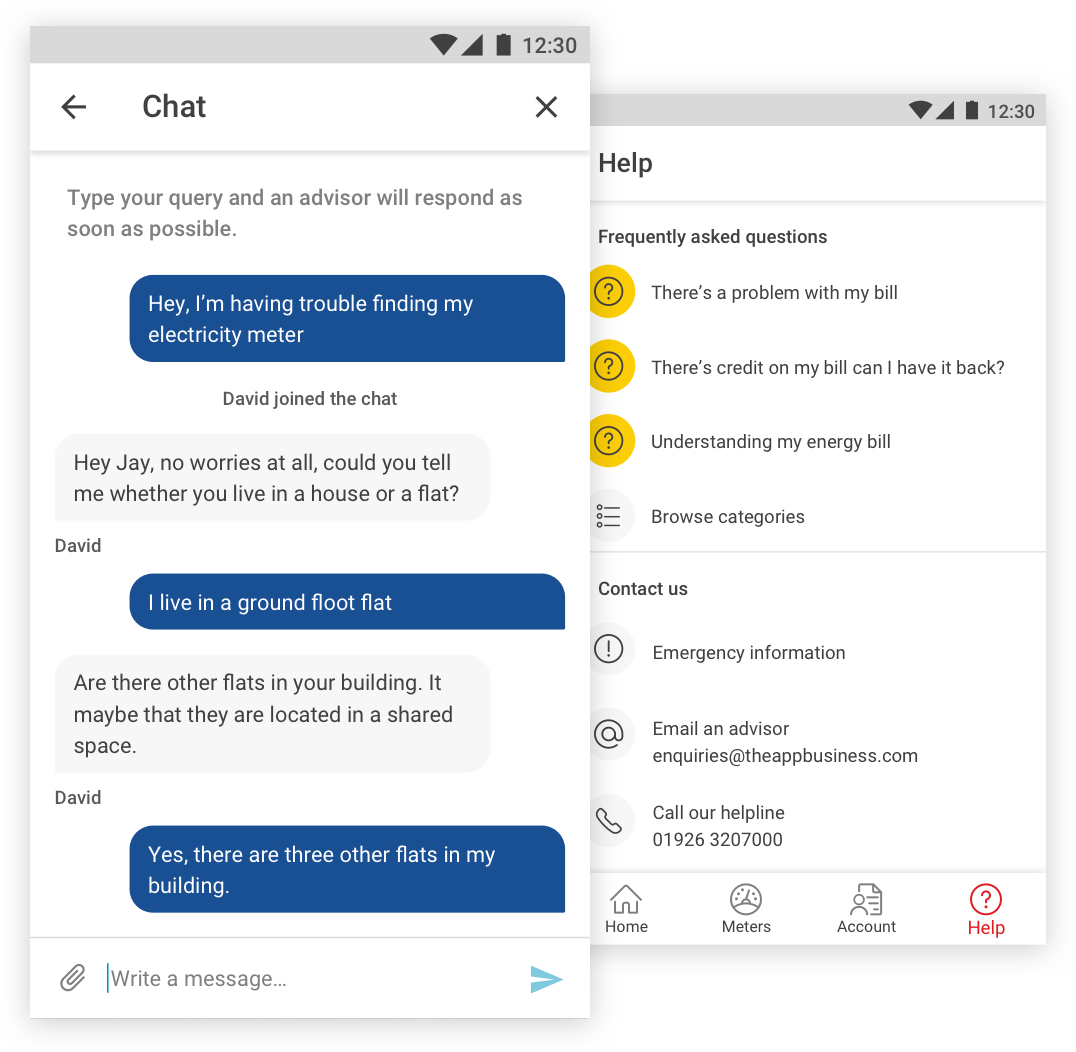
Help
Shell wanted to reduce the amount of people phoning their call centres and encourage users to seek help within the app. Apart from improving obvious features like the FAQ section they were keen to explore using an automated messenger and inpage contextual help.
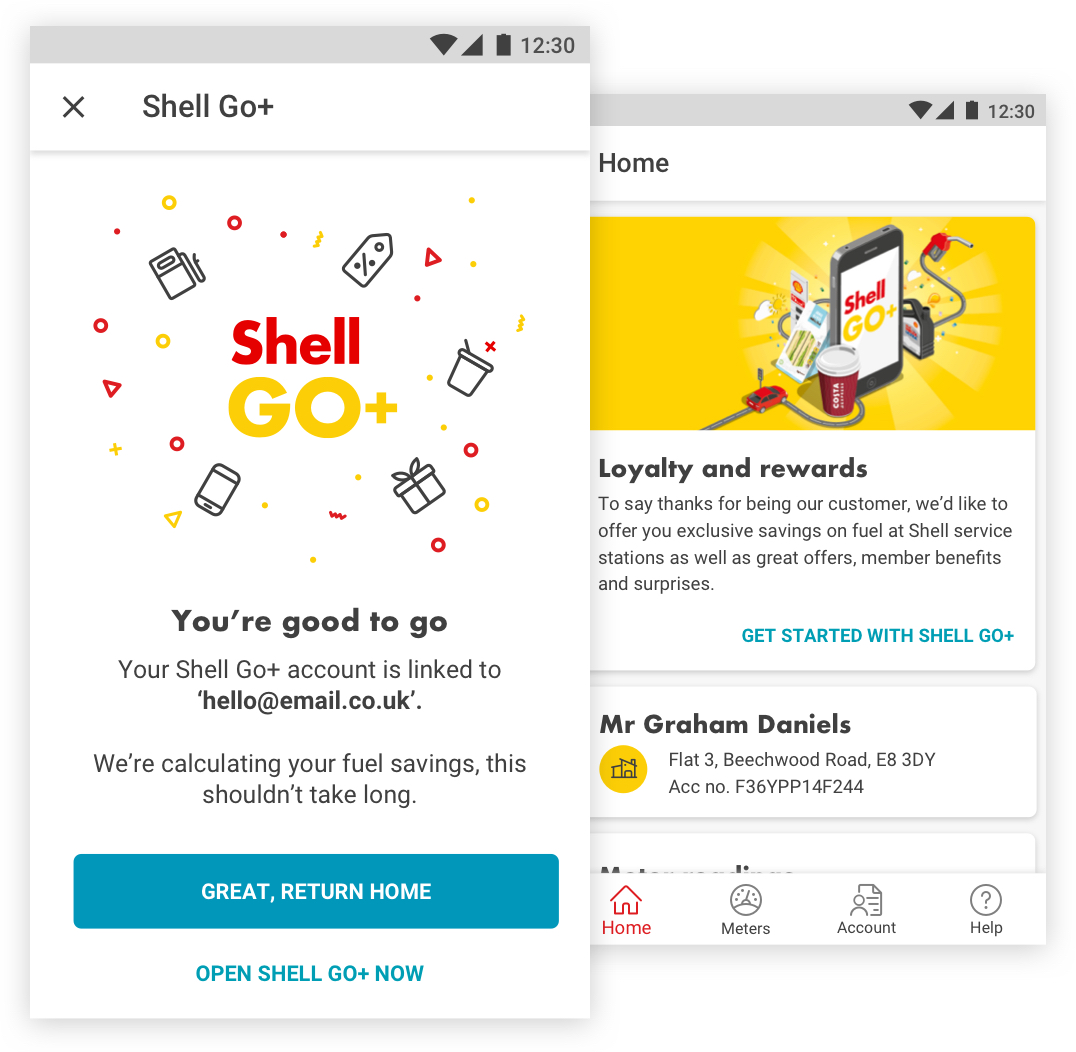
Loyalty
The loyalty feature was set up to reward shell customers with gifts and savings when purchasing fuel at Shell garages. The feature had to communicate with a third party app which was a bit challenging, however it was a great opportunity to push the brand and inject some playfulness using colour and illustrations as the guidelines for this product were less rigid.
UI Kit
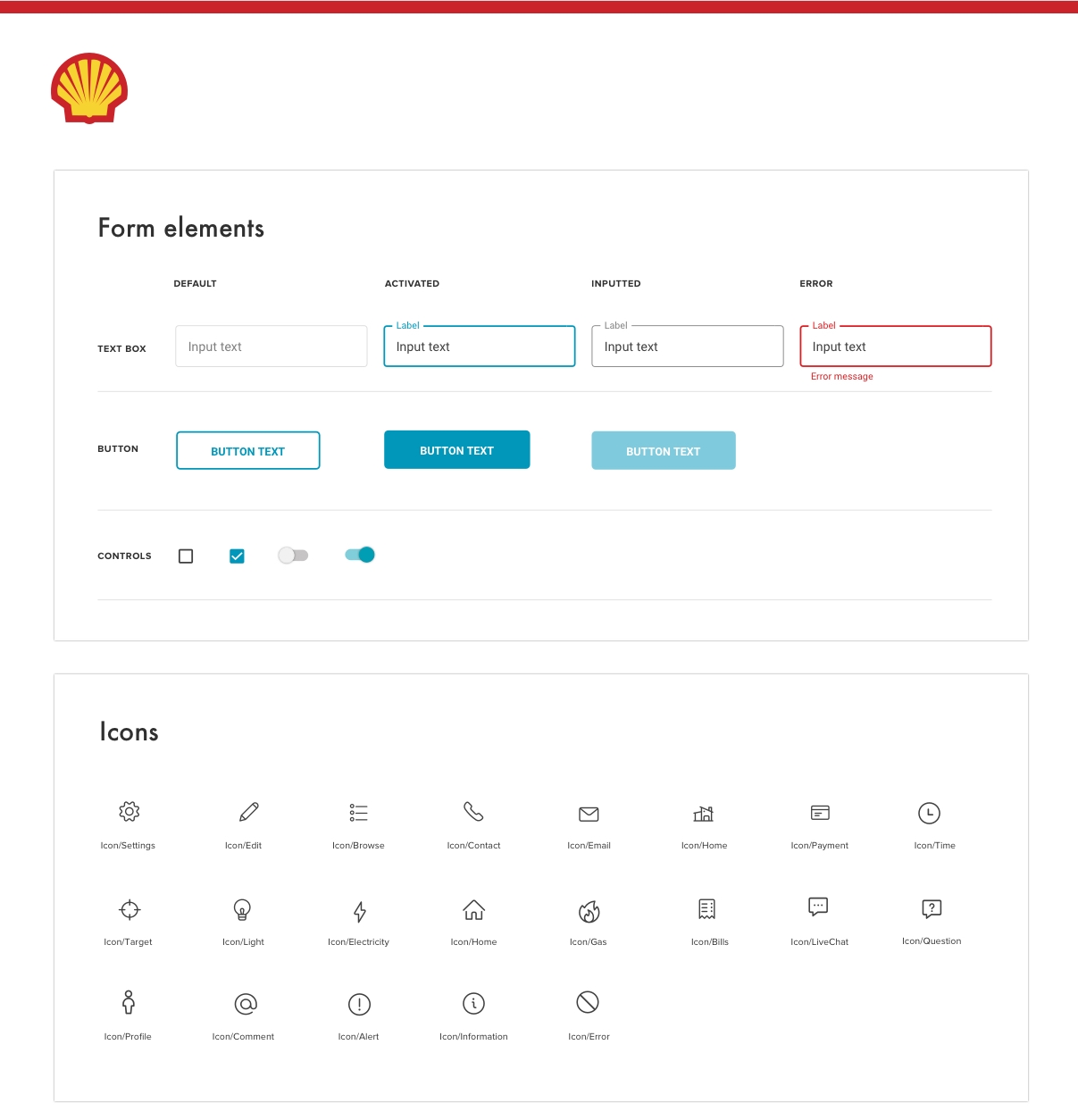
I wasn’t with TAB for long enough to create a design system but I made sure the UI kit was neat and organised so other team members and any designers moving forward could make use of it. With many variations of the same element it was essential to use sensible naming conventions so elements could be found with no hassle
Get in Contact
Let's work together
If you like what I do and think I could be a good fit for a project or simply want to get in touch please drop me a line here.
Drop me a line